



Dashboard
The landing page
Too many Dashboards!🔗
Yes, we use the term Dashboard for more than one thing. Open mSupply has a landing page which gives an overview of some statistics, and has some useful links, which we will talk about here, and also a system dashboard that uses Grafana, and gives an overview of all sites in your country (or organisation).
What's on display?🔗
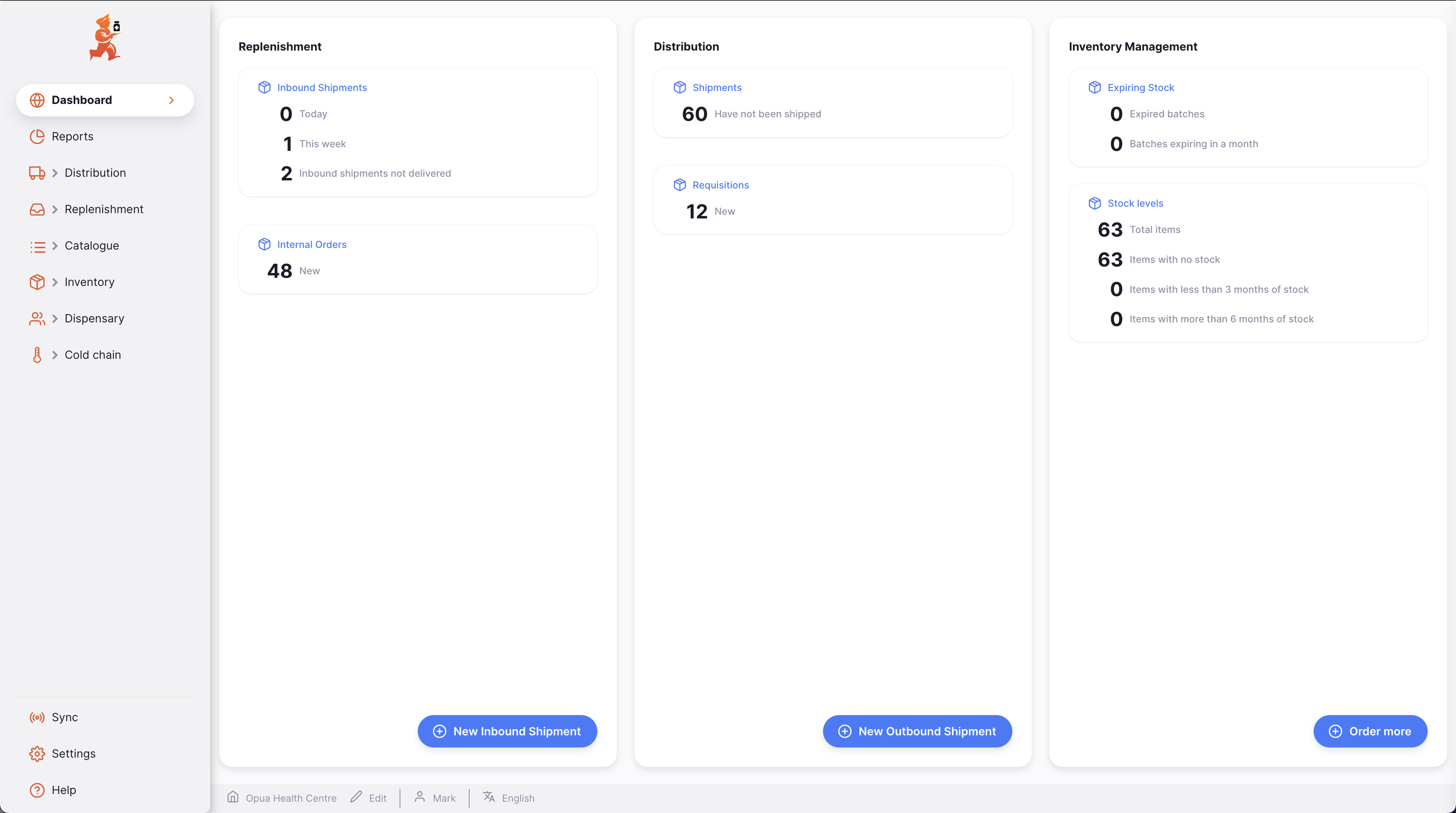
You can see some statistics for shipments and stock:
-
Replenishment
- Inbound Shipments
- Today: Shows the number of inbound shipments created today
- This week: The number created during the current week
- Inbound shipments not delivered: Number of shipped invoices that have yet to be delivered
- Internal Orders
- New: Shows the number of new Internal Orders
- Inbound Shipments
-
Distribution
- Shipments
- Have not been shipped: The number of Outbound Shipments that have not been set to
Shipped(or later) status
- Have not been shipped: The number of Outbound Shipments that have not been set to
- Requisitions
- New: The number of new Requisitions
- Shipments
-
Inventory Management
-
Expiring Stock
- Expired batches: The number of stock lines in the current store which have expired
- Batches expiring in a month: The number of stock lines in the current store which will expire within the month
- Batches expiring between first and second threshold:
- Shows the number of stock lines in the current store that will expire between the first and second threshold days from today
- Thresholds are set as store preferences. Requires either the first or second preference to be set for this statistic to display.
- Calculation: Count Stocks where:
Expiry Date >= today + first thresholdandExpiry Date <= today + second threshold
- Batches expiring between 30 and 90 days:
- The number of stock lines in the current store with expiry dates between 30 and 90 days from today (inclusive)
- Calculation: Count Stocks where:
Expiry Date >= today + 30 daysandExpiry Date <= today + 90 days
-
Stock levels
- Total items: A count of the number of items in this store
- Items with no stock: The item is visible in this store, but have no stock recorded
- Items with less than 3 months of stock: Which is based on the average monthly consumption (AMC) for this item in the current store
- Items with more than 6 months of stock: As above, based on AMC for the item in the current store
- Out of stock products:
- Uses the Number of months to check for consumption preference to identify products which have been used recently. Only products that have consumption within the specified number of months are included.
- Calculation: Product is counted if
Stock on Hand = 0andTotal Consumption > 0during the selected period.
- Products at risk of being out of stock:
- Uses the Number of months threshold to show low stock alerts for products to determine the threshold for this statistic
- Calculation: Product is counted if
Months of stock < Number of months threshold to show low stock alerts for products preference.
-
There are buttons towards the bottom of the page as well which allow you to create shipments and requisitions.
-
Clicking on the headings (e.g. Inbound Shipments, Shipments etc) will take you to the list of those items.
In addition, clicking on the text beside an item (e.g. Have not been shipped) will take you to a view which gives you a list which is filtered to show all the records which match the condition listed. The exception to this is the statistics shown under Stock levels which currently do not have filters available.