



Master Lists
Master lists are standard lists of items that can only be defined at the central server level.
Viewing Master Lists🔗
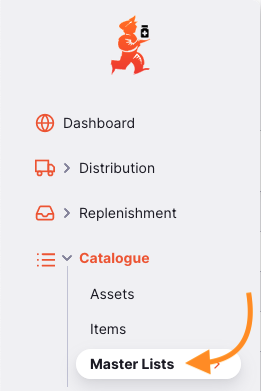
Go to Catalogue > Master Lists in the navigation panel:
You will see a window like this:
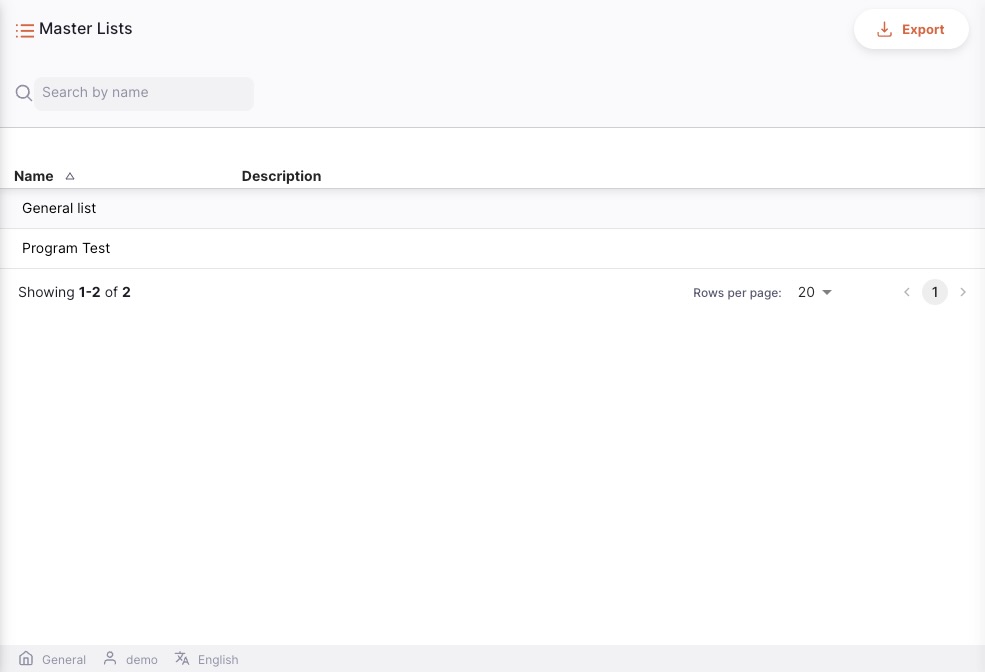
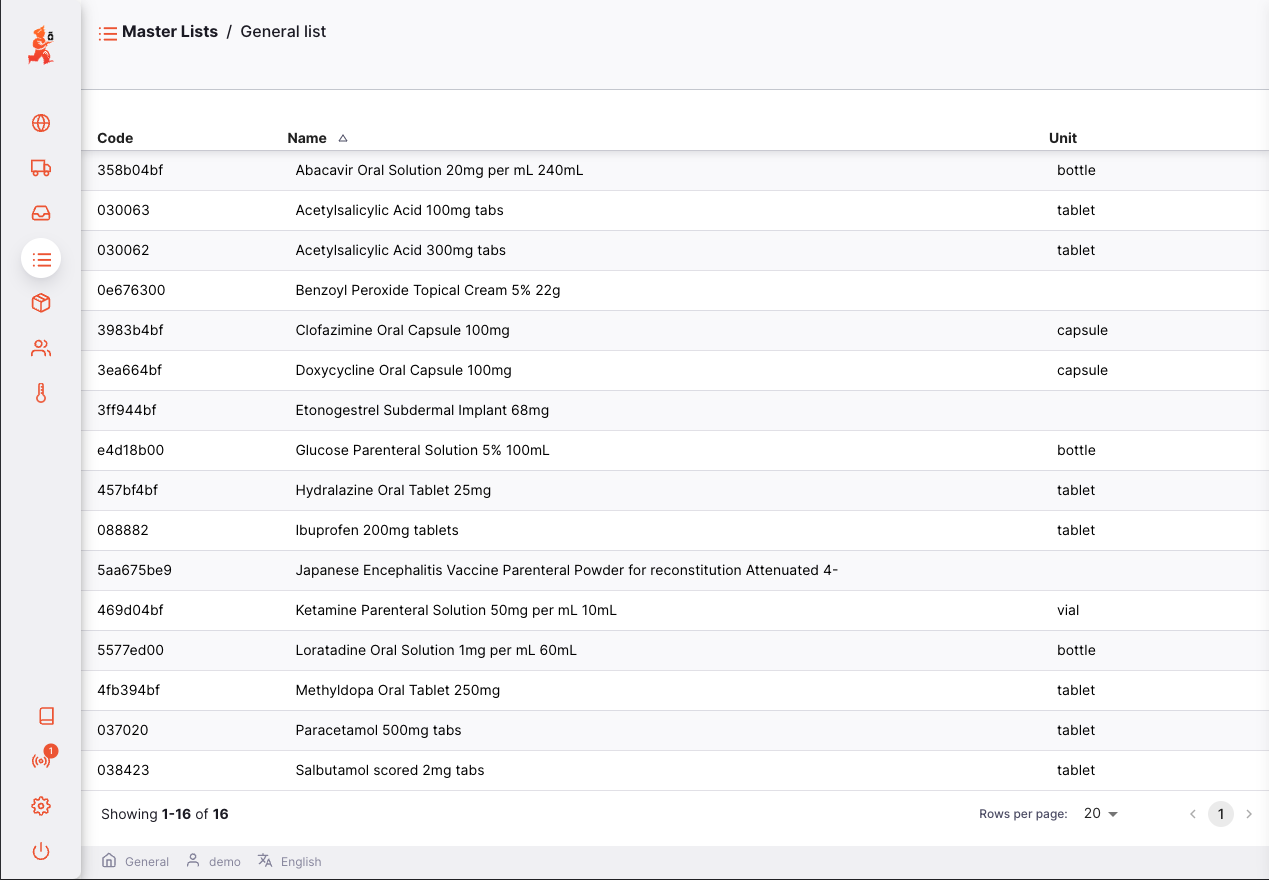
To view all the items of a master list, simply tap on one:
Default price lists🔗
A default price list is a master list flagged with is_default_price_list = true. It defines the standard unit prices for items across the system. When a default price list is configured, those prices are used automatically when creating outbound stock transactions — overriding any sell price stored on a stock line.
Discount lists🔗
A related but separate concept is a discount list: a master list that has a discount_percentage > 0. Discount lists reduce the effective price for eligible non-patient customers.
Pricing Logic🔗
When a stock-out line is created (outbound shipment, prescription, or response requisition), the system resolves the price in four steps:
Step 1 — Look up the default price🔗
The system queries master list lines where:
- The parent master list has
is_default_price_list = true - The line's item matches the item being dispensed/shipped
If a matching line is found, its price_per_unit becomes the default price. If no match is found, the system falls back to the sell price stored on the stock line.
Step 2 — Check if the customer is a patient🔗
The customer_name_id on the invoice is checked against the patient records.
- If the customer is a patient: no discount is applied
- If the customer is not a patient (or no customer is set): proceed to Step 3
Step 3 — Look up a discount🔗
The system queries master lists where:
discount_percentage > 0(i.e., it is a discount list)- The item is present in that list
If multiple discount lists apply, the largest discount is used.
Step 4 — Calculate the final price🔗
| Scenario | Formula |
|---|---|
| Default price found, no discount | calculated_price = default_price_per_unit |
| Default price found, discount found | calculated_price = default_price_per_unit × (1 − discount% ÷ 100) |
| No default price, no discount | sell_price_per_pack = stock_line_sell_price_per_pack |
| No default price, discount found | sell_price_per_pack = stock_line_sell_price_per_pack × (1 − discount% ÷ 100) |
Summary of Rules🔗
| Situation | Outcome |
|---|---|
| Item is in the default price list | default_price_per_unit is set from the list |
| Item is not in the default price list | Falls back to stock line sell price |
| Customer is a patient | No discount applied, regardless of discount lists |
| Customer is not a patient, in a discount list | Largest applicable discount is applied |
| Customer is not a patient, not in any discount list | No discount applied |
| No default price + no discount | Stock line sell price used unchanged |
| No default price + discount found | Discount applied to the stock line sell price |